
Rank your hosts by profit per hour, not vibes
Streamalytix builds a performance record for every host from the shows they actually ran — profit per hour, sell-through, average sale price and consistency — then handles availability, shifts and roles around it.
- Net profit per hour on air, per host
- Consistency score across shows
- Availability calendar and shift claiming
- Granular roles for hosts vs managers
3-Day Free Trial · 30 Logging Credits Included · No Card Required
From roster to a real performance record
The data comes from streams you were running anyway.
- Step 01
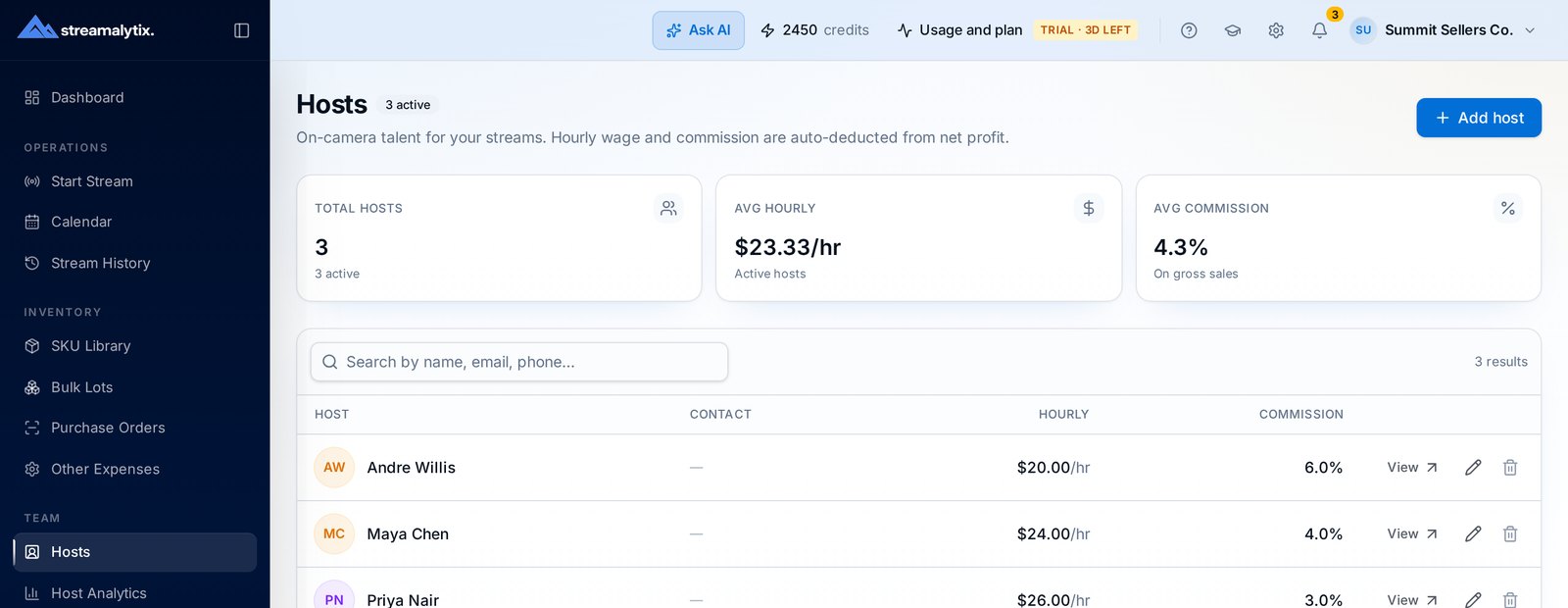
Add your hosts
Set pay structure per host — hourly, commission, or a blend — and assign a role that controls what they can see in the app.
- Step 02
Schedule the shows
Hosts mark availability, you publish shifts, they claim open slots, and the schedule feeds the stream calendar directly.
- Step 03
Let the numbers accumulate
Every logged sale is attributed to whoever was on air, so after a few weeks you can compare hosts on profit per hour rather than opinion.
The leaderboard that reflects the business, not the loudest host
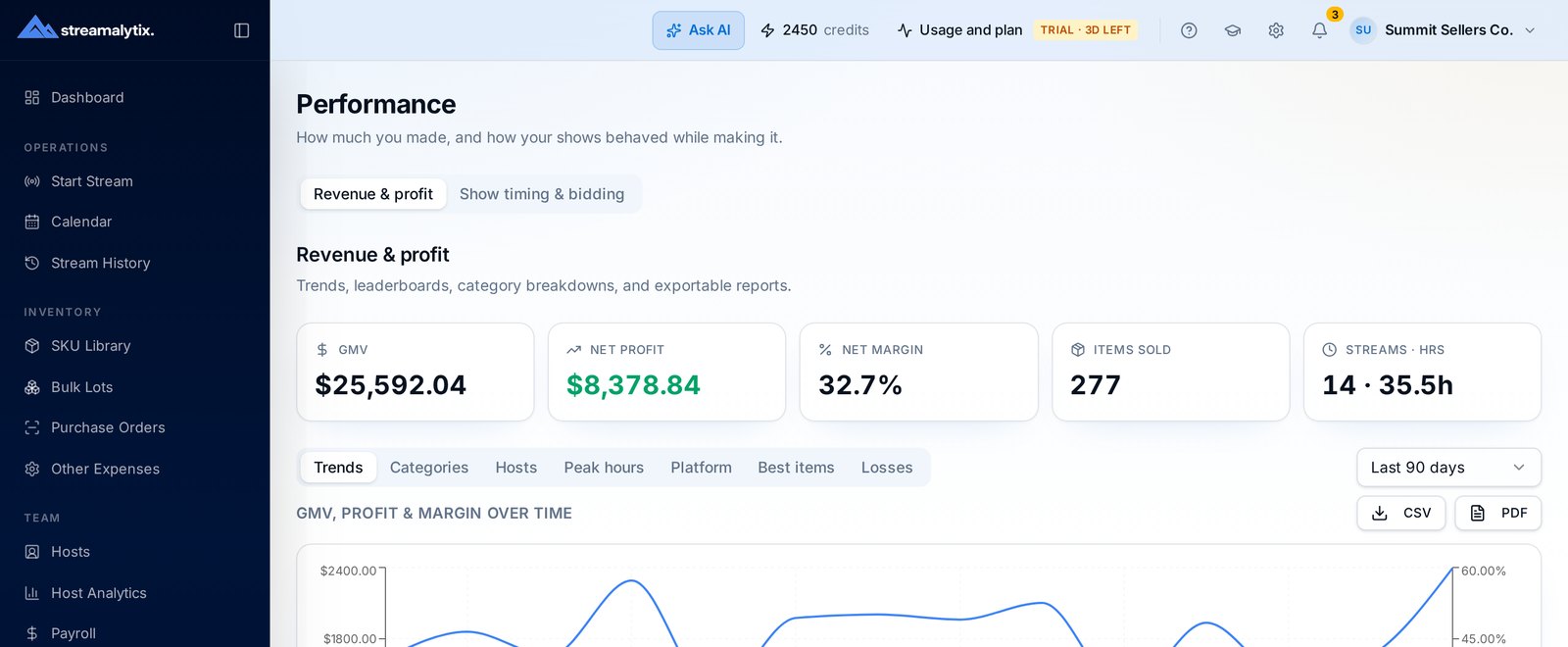
Gross sales flatter whoever got the best inventory. Profit per hour, sell-through and average sale price show who moved product efficiently with what they were handed.
- Net profit per hour on air, after host pay and operating cost
- Sell-through against the inventory allocated to their show
- Average sale price and items per hour trends
- Consistency score so one lucky show doesn't distort the picture
Availability, shifts and notes in the place the streams live
Scheduling in a group chat means someone always misses a show. Availability and shift claims sit next to the calendar the streams run from.
- Hosts mark recurring availability windows
- Publish open shifts and let hosts claim them
- Recurring shows generated automatically
- Private notes and rate history per host
Everything else a roster needs
Recurring shows
Weekly and repeating shows generate on their own, with the right host assigned ahead of time.
Time on air tracked
Hours come from actual stream duration, which is what pay and profit-per-hour are calculated from.
Consistency score
Rewards hosts who perform reliably instead of one standout night in six.
Role-based access
Hosts see their own shifts and numbers. Managers see the roster. Payroll stays with the owner.
Host notes
Keep coaching notes and rate change history per host, private to management.
Rate history
Every pay rate change is versioned, so old payroll runs remain correct.
Straight answers
If something isn't covered here, the team replies within a business day.
By the numbers that matter to the business: net profit per hour on air, items per hour, average sale price, sell-through on the inventory they were given, and a consistency score across shows.
Find out who your best host really is
Run two weeks of shows through Streamalytix and the leaderboard writes itself.
