
Payroll that comes out of the stream data itself
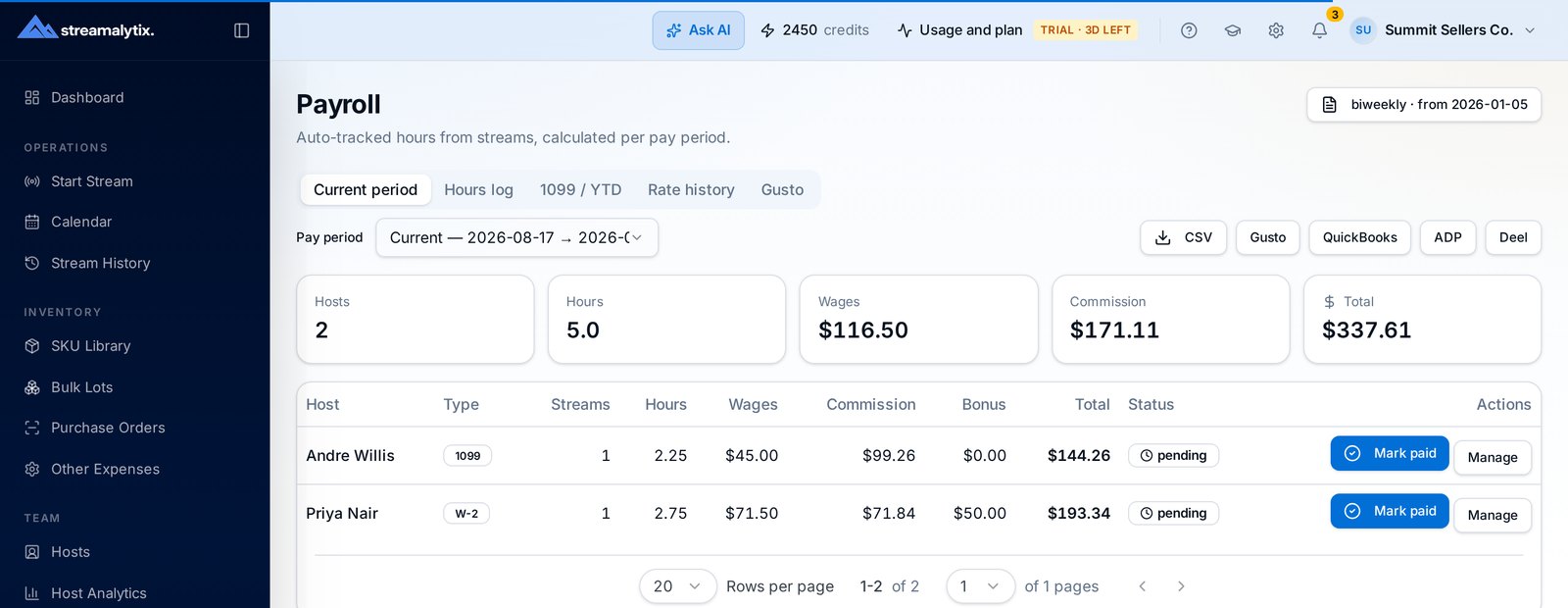
Hours from actual air time, commission from actually logged sales, rates versioned so history stays correct. Close a pay period in under two minutes and hand every host a statement they can check line by line.
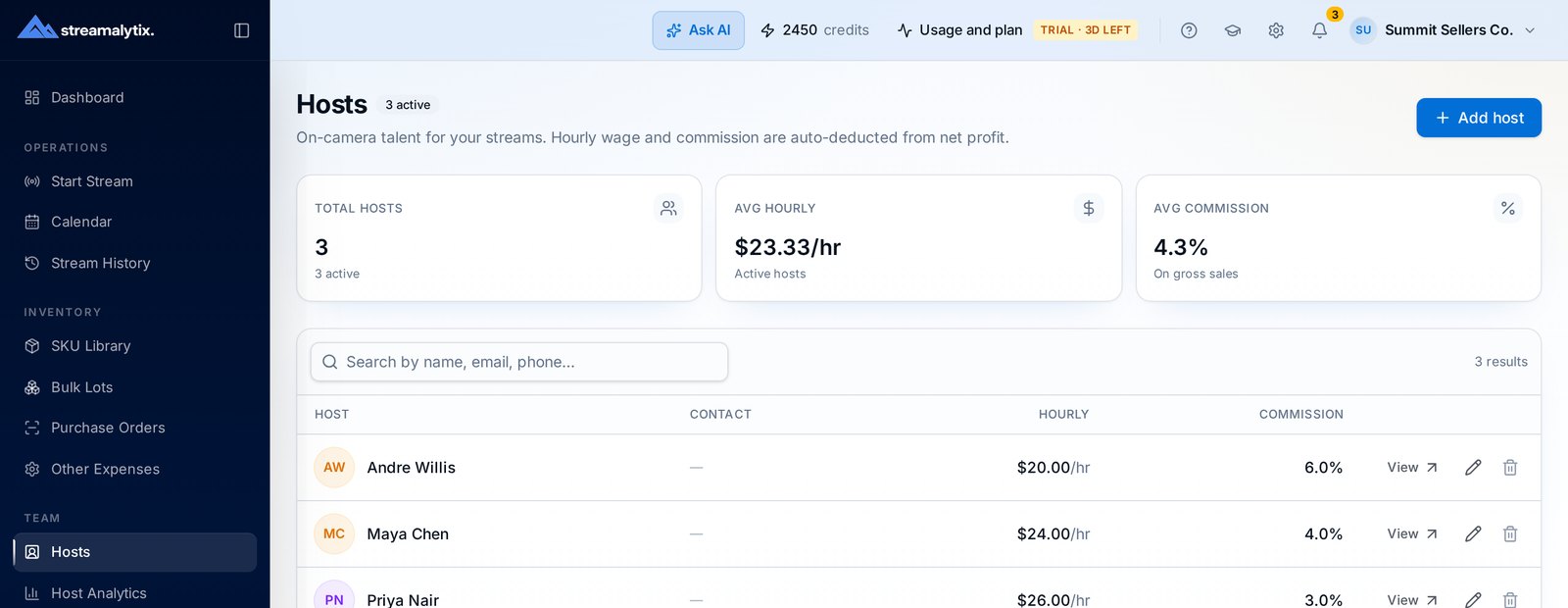
- Hourly, commission or blended structures
- Hours taken from real stream duration
- Versioned rates, correct historical runs
- Per-host statements, exportable runs
3-Day Free Trial · 30 Logging Credits Included · No Card Required
How a pay period closes
The inputs already exist because you streamed with Streamalytix open.
- Step 01
Rates are already set
Each host has a structure on file — hourly, commission or blended — with a full history of previous rates.
- Step 02
Shows accumulate
Air time and attributed sales build up automatically as the extension logs each show, so nothing is reconstructed later.
- Step 03
Run and share
Generate the run, review the per-host breakdown, and send each host a statement showing hours, sales and how their pay was derived.
One screen that answers “what do I owe everyone?”
The most common reason sellers underpay or overpay hosts is that hours and sales live in different places. Here they're the same record the profit reports use.
- Per-host hours, attributed sales and calculated pay
- Blended structures handled without manual math
- Adjustments and bonuses recorded on the run
- Export the whole run or a single statement
Host pay flows straight into profit, not just into a payout
Because pay is calculated from the same data as your margins, host cost is already inside net profit per stream and profit per hour per host.
- Host cost applied to each stream's net profit
- Profit per hour per host, after their own pay
- Compare pay structures with real outcomes
- Spot hosts whose commission outpaces their margin
Payroll details that avoid arguments
Blended structures
Base hourly plus a commission percentage, calculated per show and rolled into the period total.
Rate history
Every change is timestamped, and shows are paid at the rate that applied when they aired.
Host statements
Each host gets a breakdown of hours, sales and pay so questions get answered by the record.
Profit-based commission
Pay on margin instead of gross when you want hosts aligned with profitability.
Access controls
Payroll is owner-level by default; grant specific managers access when you need to.
Exports
Download runs as CSV to hand to a bookkeeper or feed into whatever pays your team.
Straight answers
If something isn't covered here, the team replies within a business day.
Hourly, commission on sales, commission on profit, or a blend such as a base hourly rate plus a percentage. Rates are set per host and versioned when they change.
Stop rebuilding payroll in a spreadsheet
Set your host rates once during the trial and let the next pay period calculate itself.
