
Watch profit build while you're still live
Every sale the extension captures is instantly costed against your inventory, so gross, net, margin and pace are on screen the whole show — not reconstructed from a spreadsheet three days later.
- Net profit and margin update per item
- Operating cost per hour applied automatically
- Pace and AOV against your own targets
- Zero typing during the show
3-Day Free Trial · 30 Logging Credits Included · No Card Required
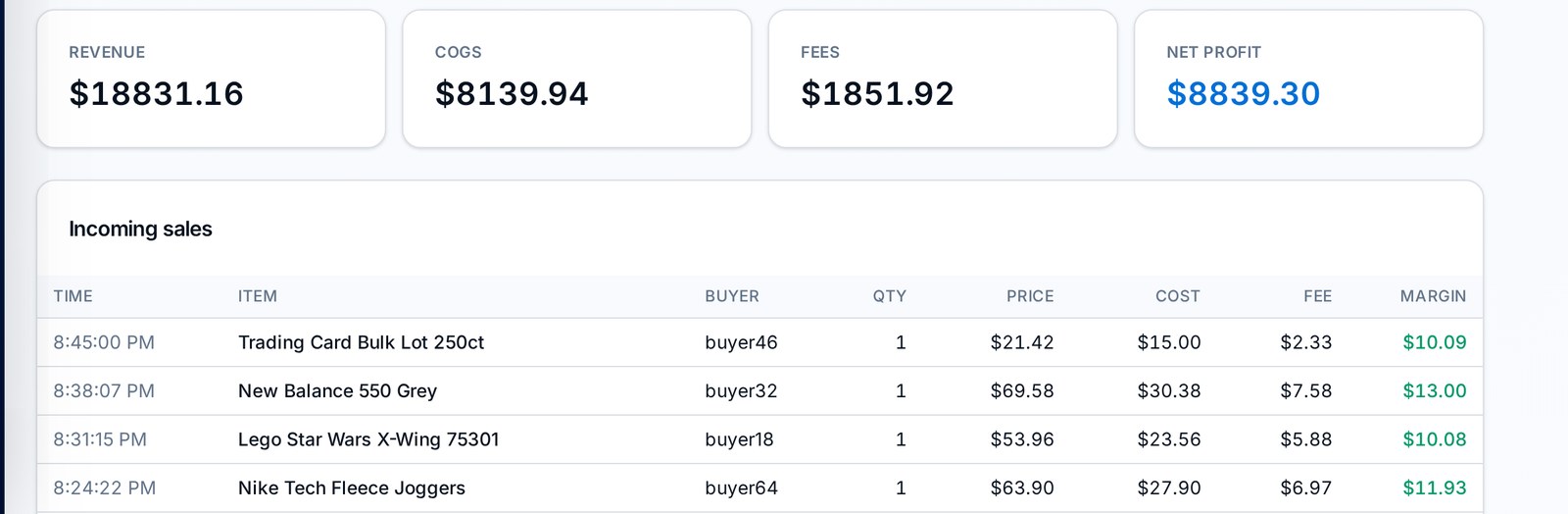
Three things happen the moment an item sells
All of it without you leaving the show or touching a keyboard.
- Step 01
The sale is captured
The extension reads the closed sale off your own seller dashboard — item name, final price, quantity and buyer — and posts it to your live stream in Streamalytix.
- Step 02
Cost is resolved
The item is matched to a SKU or bulk lot and the cost basis is snapshotted at that instant, so later restocks or re-pricing never rewrite past profit.
- Step 03
Tiles recalculate
Platform fees, shipping, host pay and your hourly operating cost are applied, and the profit tiles move before the next lot opens.
The numbers you actually make decisions on, big enough to read from the camera chair
Most sellers find out a show underperformed after it's over. Live tiles let you fix it at item 30 — push the higher-margin lots, change your opening bids, or extend the show when the pace is good.
- Gross revenue, net profit, margin, AOV and items-per-hour
- Colour-coded against the targets you set per show
- Per-hour operating cost applied continuously, not at the end
- Pin the metrics that fit your business model
The logging problem, solved by software instead of a second person
Hiring someone to type items into a sheet is expensive and still inaccurate on a fast run. The extension never misses a lot, never mistypes a price and never gets tired at item 200.
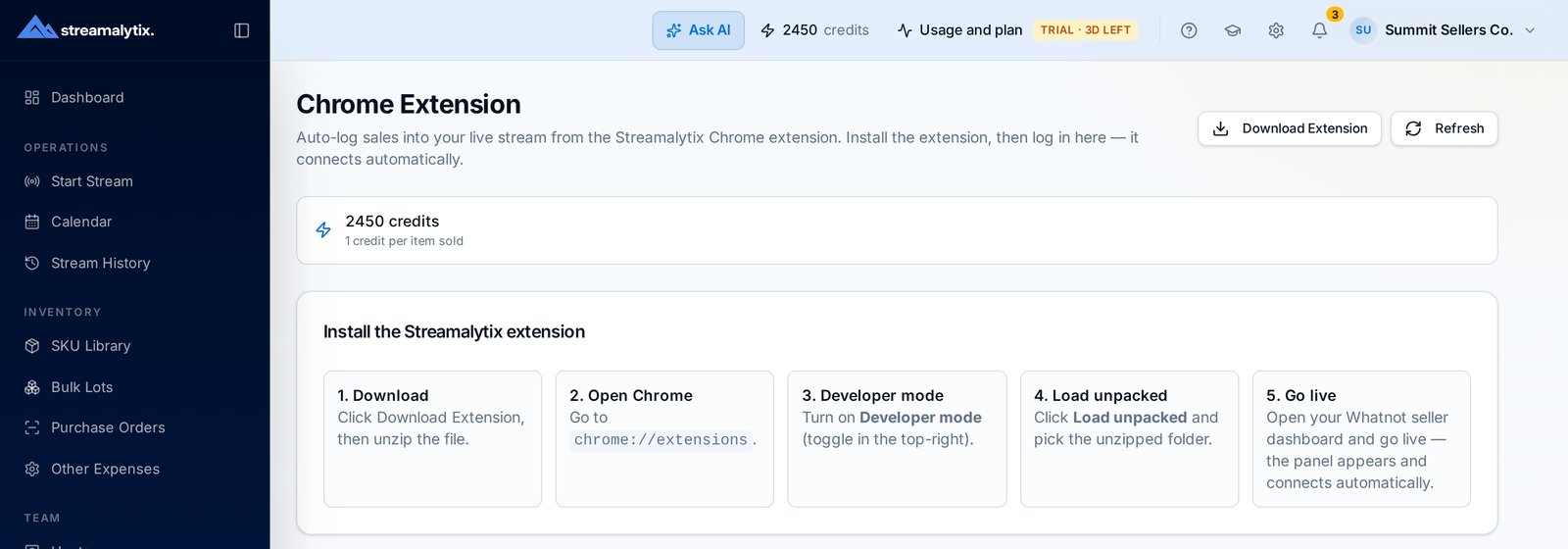
- Installs in about 30 seconds, no API keys or platform approval
- Auto-connects to the active stream and shows credits left
- Pauses instead of silently spending when credits run out
- Works alongside the live page on a second monitor
Built for the reality of a live show
Stream lifecycle handled
Streams open when you go live and close on their own when the show ends, so history stays clean without manual bookkeeping.
Pace and targets
Items per hour and profit per hour, compared to your own averages so you know if tonight is above or below trend.
Low-balance warnings
Credit warnings surface in the app and the extension popup well before logging would pause.
Bundle-aware
Multi-item orders are grouped, with fees and shipping allocated proportionally across the lines.
Host attribution
Sales are attributed to whoever is on air, feeding host analytics and payroll without extra work.
Every line editable
Corrections take seconds from the stream report, and totals recompute the moment you save.
Straight answers
If something isn't covered here, the team replies within a business day.
Whatnot today. It reads the seller dashboard you are already looking at, so it doesn't depend on the platform exposing an API. TikTok Shop Live support is in development; those streams can be run and logged on the live page in the meantime.
Run your next show with the numbers visible
Install the extension, open your dashboard, and watch profit build in real time. 3 days free with 30 credits included.
